AI walkthroughs

Talk through the job. FieldPix writes it up.

FieldPix is the job site photo app for contractors. Walk the site, talk, and snap photos, and it writes the notes, the to-do list and the report before you're back in the truck.

14 days free, no card From $29.99/month for one person, $49.99 for a crew of up to 5

Get the app Download on the App Store Get it on Google Play

AI walkthroughsTalk through the site. Get organized notes and an action list.
English and SpanishTalk in either. Translate the notes both ways.
Works with no signalRecordings and photos save on the phone and upload later.
Proof in every photoTime, date and location burned into the pixels.
Flat per companyNot per seat. Add a seasonal hire without a new bill.
Built for crews in Roofing Solar Electrical HVAC Remodeling Restoration General contracting Home inspection Appraisal

Our guys hit record, walk the roof and talk. By the time they're back in the truck, the notes and the photos are already at the office.

Owner, State Solar
AI that does the writing

Stop typing up site notes.

Your crew already talks through the job and shoots photos and video. FieldPix turns that into the paperwork the office has been asking for, without anyone sitting down to write it.

AI Walkthrough

Say it once, on site.

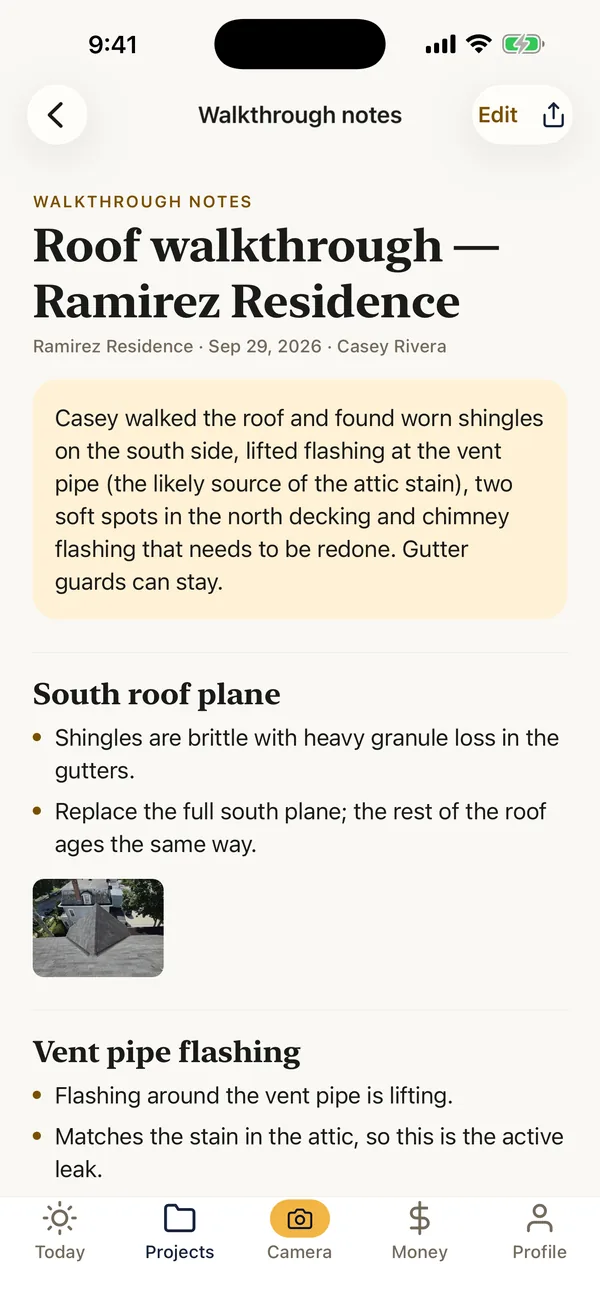
Hit record, walk the job and snap photos as you talk. FieldPix files each thing you said under the right area, with the photo you took there, and pulls every follow-up into a list.

What you said on the roofWhat FieldPix wrote

A roof peak, seen from the ridge while recording a walkthrough REC 0:24
South side shingles are brittle. Heavy granule loss.

South roof plane

  • Shingles are brittle with heavy granule loss in the gutters.
  • Replace the full south plane; the rest of the roof ages the same way.
Roof photo filed under South roof planePhoto filed here
Shingles running down to a gutter REC 1:22
Vent pipe flashing is lifting. That's the leak.

Vent pipe flashing

  • Flashing around the vent pipe is lifting.
  • Matches the stain in the attic, so this is the active leak.
Shingle and gutter photo filed under Vent pipe flashingPhoto filed here
Vents and flashing on a flat roof REC 2:22
Two soft spots in the north decking.

Deck and chimney

  • Two soft spots in the north side decking.
  • Chimney flashing is cracked and needs to be redone.
Roof vents photo filed under Deck and chimneyPhoto filed here

Summary

Casey walked the roof and found worn shingles on the south side, lifted flashing at the vent pipe (the likely source of the attic stain) and two soft spots in the north decking.

Action items

Replace lifted vent pipe flashing
Cut out and replace two north deck sections
Re-flash the chimney
  • Pause when you move to the next area, and each stretch becomes its own part
  • Talk in English or Spanish; the notes come back in the language you spoke
  • Set up for site walks, home inspections, appraisals and closing walkthroughs
  • The full transcript stays with the notes, so a misheard word is easy to fix
AI documents

Client updates that write themselves.

Pick the day's photos and what you need, and tell it what to focus on. FieldPix drafts it; you edit and send.

Progress recap

Progress update — Sep 29, 2026

Great progress this week at your home. The old roof is off, the decking is repaired and the new shingles are going on.

Completed so far
  • Removed the old shingles and inspected the roof deck.
  • Replaced two damaged sections of decking on the north side.
  • Installed ice and water shield along the eaves and valleys.

Anything to focus on?Mention the rain delay and the permit inspection.

AI draft · from 18 photos · edit before sending

Then polish any of them in a tap
  • Fix spellingCleans up misheard trade terms.
  • TranslateEnglish to Spanish and back.
  • Turn into a checklistNotes become tasks for the crew.
  • Share or saveA private link or a PDF.
  • You review the notes first. Nothing reaches a client until you send it.
  • No signal on the roof? The recording saves on the phone and finishes when you're back in coverage.
  • AI is opt-in. FieldPix asks first, and your recordings aren't used to train AI models.
Start Your Free Trial 14 days free, no card. AI is included on every plan. How the AI walkthrough works
Racking rails on a shingle roof at sunset, with the FieldPix stamp burned into the corner FIELDPIXSep 26, 2026 · 6:48 PM · 40.68060, -73.47400 GPS locked Burned into the image itself
Proof in every photo

Photos that prove themselves.

Job photos end up in disputes, insurance claims and inspections. FieldPix burns the date, time and location (the street address, or the GPS coordinates) into the image before it uploads, so even a forwarded copy carries its own proof.

  • Credited to whoever took it, shown with every photo
  • Filed to the job as you shoot. No renaming, no camera-roll digging
  • No signal? Photos and video save on the phone and upload later
  • Before/after tags, and markup to circle the problem

From real jobs. A solar crew's week, stamped and filed. How the stamp works

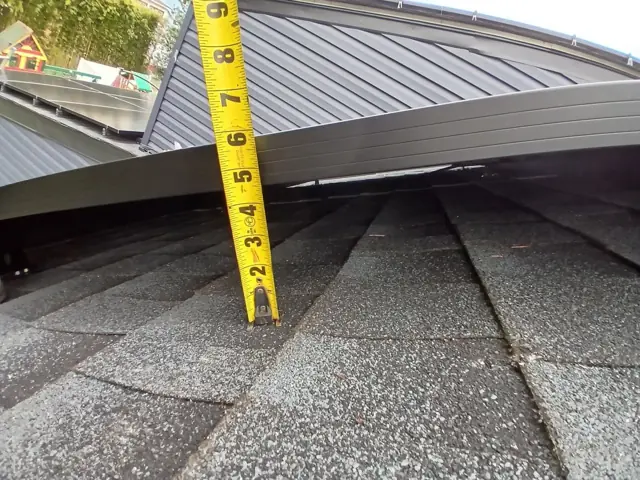
Tape measure checking panel height above shinglesFIELDPIXSep 24 · 9:02 AM
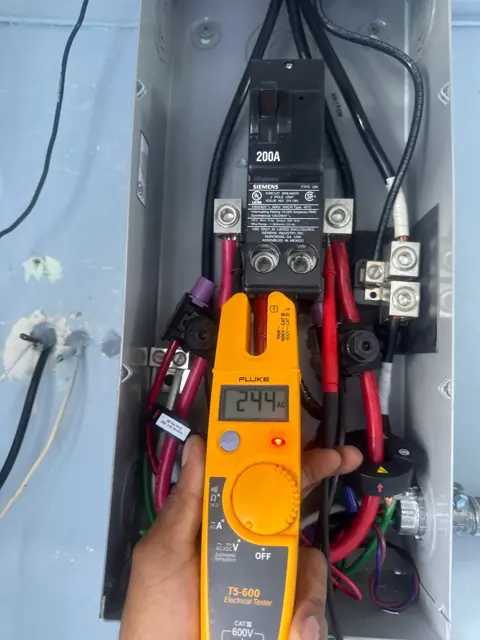
Clamp meter reading 244 volts in a disconnectFIELDPIXSep 24 · 11:40 AM
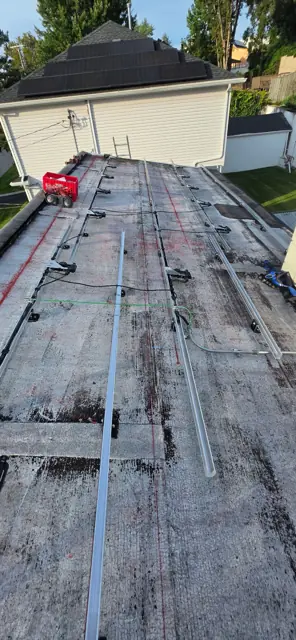
Rails laid out on a flat roofFIELDPIXSep 25 · 8:15 AM
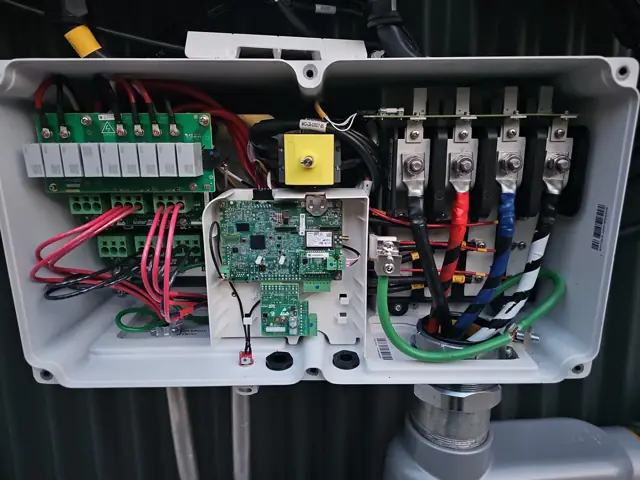
Wiring inside an open combiner boxFIELDPIXSep 25 · 1:26 PM
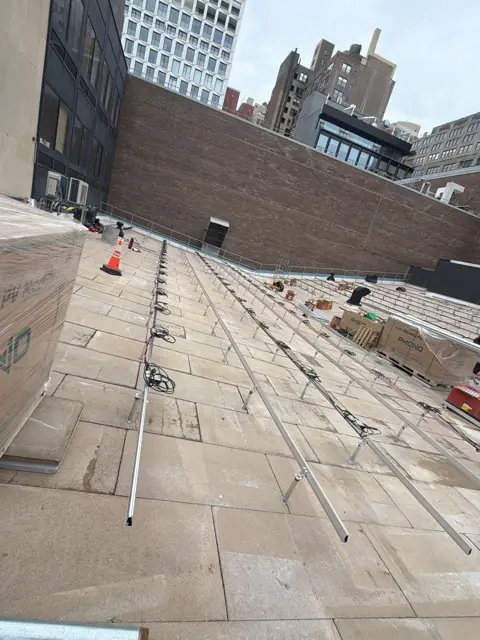
Commercial flat-roof racking between city buildingsFIELDPIXSep 26 · 7:58 AM
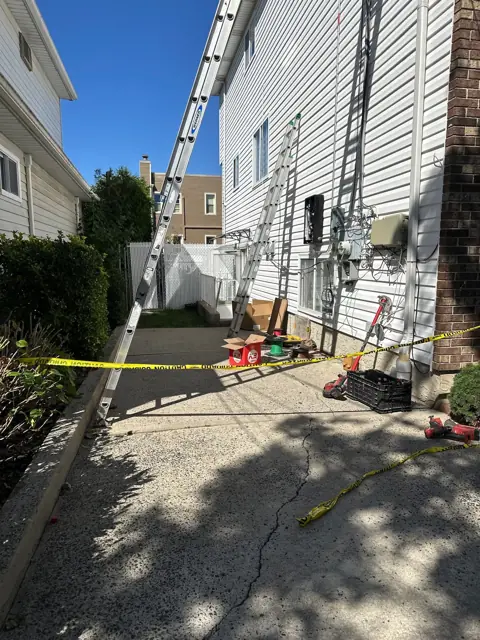
Ladder and materials staged in a side yardFIELDPIXSep 26 · 3:12 PM
How it works

One app, from the first visit to the final payment.

Five steps. Tap through to see what the crew sees.

Step 1 · Capture

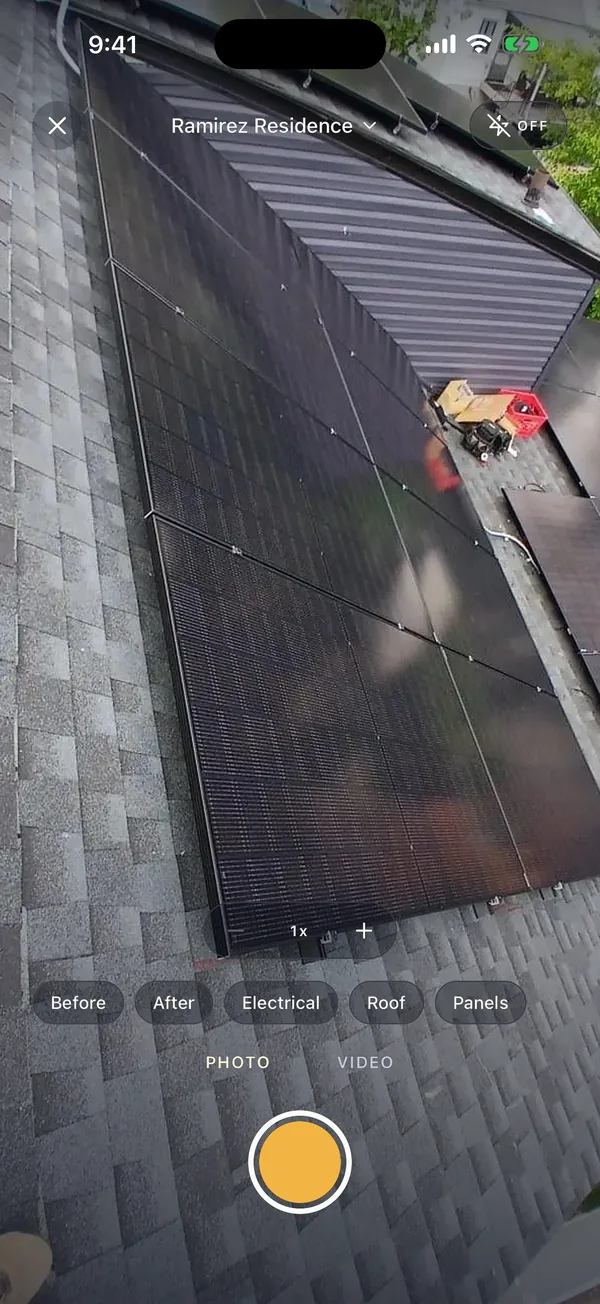
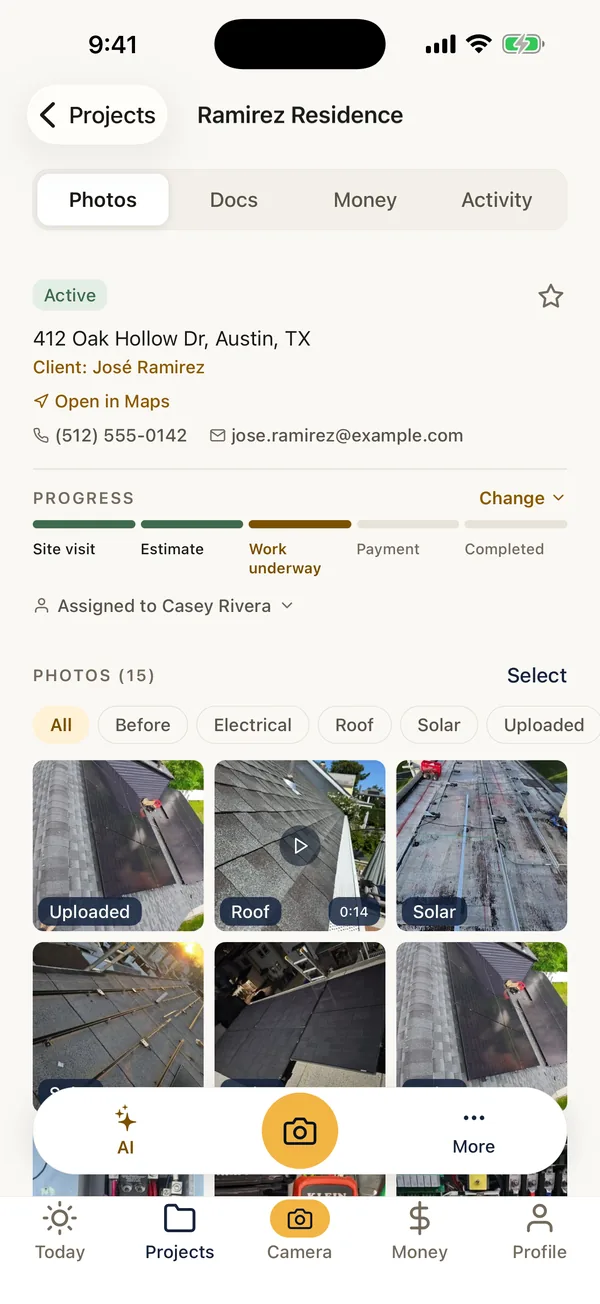
Open the job. Shoot. That's the whole workflow.

No filing, no renaming, no "which job was this?" The photo already knows where, when and who.

  • Date, time and location burned into every photo
  • Photo and video modes, with a live recording timer
  • Offline queue that uploads itself — or waits for Wi-Fi
  • Image quality and aspect ratio set for the whole crew
Payments

Stop chasing the final payment.

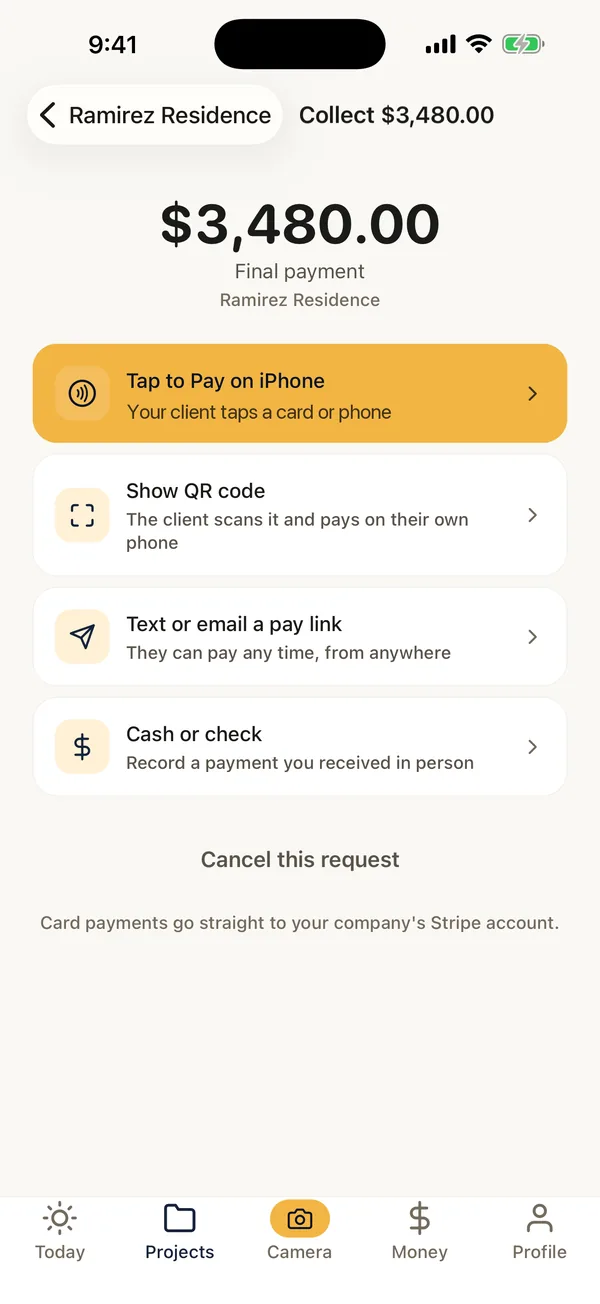
The job's done and the client is standing right there. Collect on the spot — the money lands in your own bank account, not ours.

QR codeThe client scans it and pays on their own phone.
Pay linkText or email it — they pay with card, Apple Pay or Google Pay.
Enter cardTyped into Stripe's secure form. The number never touches FieldPix.
Cash & checksRecord them against the job so every payment is in one place.
Tap to Pay on iPhoneThe client taps a card or phone on your iPhone. No reader to carry.In the iPhone app
Receipts & refundsEmail a receipt from Stripe; admins refund in two taps.

Connect your own Stripe account from the portal or the app, and payments pay out to your bank. Stripe's fees and a 1% FieldPix fee come out of each card or bank payment. Cash and checks you record are free.

Web portal

The office gets the big screen.

Everything the crew captures shows up at portal.fieldpix.org as it syncs. Run every job, comment on photos, send agreements and reports, and take payments — from any browser, nothing to install.

Every project, full sizePhotos, video, stages, documents and comments — plus upload from your computer.
Team overviewWhat got shot today, who's on what, and which jobs have gone quiet.
Templates and brandingBuild report templates once. Your logo and contact line go on every PDF a client keeps.
Billing and payoutsConnect Stripe, record cash and checks, and refund when you need to.
Pricing

Three plans. Every feature on all of them.

No per-photo fees, no storage tiers, no feature gates. AI is included on every plan. The only difference is how many people are on your team.

Solo

Owner-operators working on their own

$9.99/ week
$29.99/ month
$299.90/ year

About $24.99 a month, billed once a year.

About $43 a month, billed every week. Monthly saves 30%.

Just you
  • Unlimited projects, photos, video and reports
  • AI walkthroughs and daily logs
  • Agreements, invoices and payments
  • Phone app and web portal
Start Free Trial

Starter

Small crews

$14.99/ week
$49.99/ month
$499.90/ year

About $41.66 a month, billed once a year.

About $65 a month, billed every week. Monthly saves 23%.

Up to 5 users
  • Every feature in Solo, nothing extra to unlock
  • Up to 5 users, you included
  • Invite your crew with a code
  • One price for the crew, not per person
Start Free Trial

All prices. Solo, 1 user: $9.99 a week, $29.99 a month or $299.90 a year. Starter, up to 5 users: $14.99 a week, $49.99 a month or $499.90 a year. Pro, unlimited users: $29.99 a week, $99.99 a month or $999.90 a year.

Solo is $29.99 a month. If an hour of your time is worth $30, saving one hour of paperwork a month pays for it.

Every plan starts with a 14-day free trial, no card needed. Then billed weekly, monthly or yearly, plus sales tax where it applies — no setup, per-photo or storage fees. Each plan covers one business and its own crew. Cancel any time; your data stays recoverable for 90 days. Yearly plans are fully refundable for 30 days. Pricing in full · Refund policy.

Everything is on every plan.

AI walkthroughsTalk through the site. Get organized notes and an action list.
AI documentsDaily logs, progress recaps, photo summaries and punch lists.
Stamped photos and videoDate, time and location burned into every photo, and shown with every video.
Offline syncCaptures save on the phone and upload when there's signal.
Photo markupCircle the problem right on the photo, on the phone or in the portal.
ChecklistsBuilt in for site surveys, home inspections, mold, appraisals and closing walkthroughs. Or build your own.
Branded PDF reportsOne tap turns a project into a PDF with your logo.
Job stagesFrom site visit to completed. The client follows along.
A page for your clientOne private link with progress, photos and documents. They can sign and pay there too.
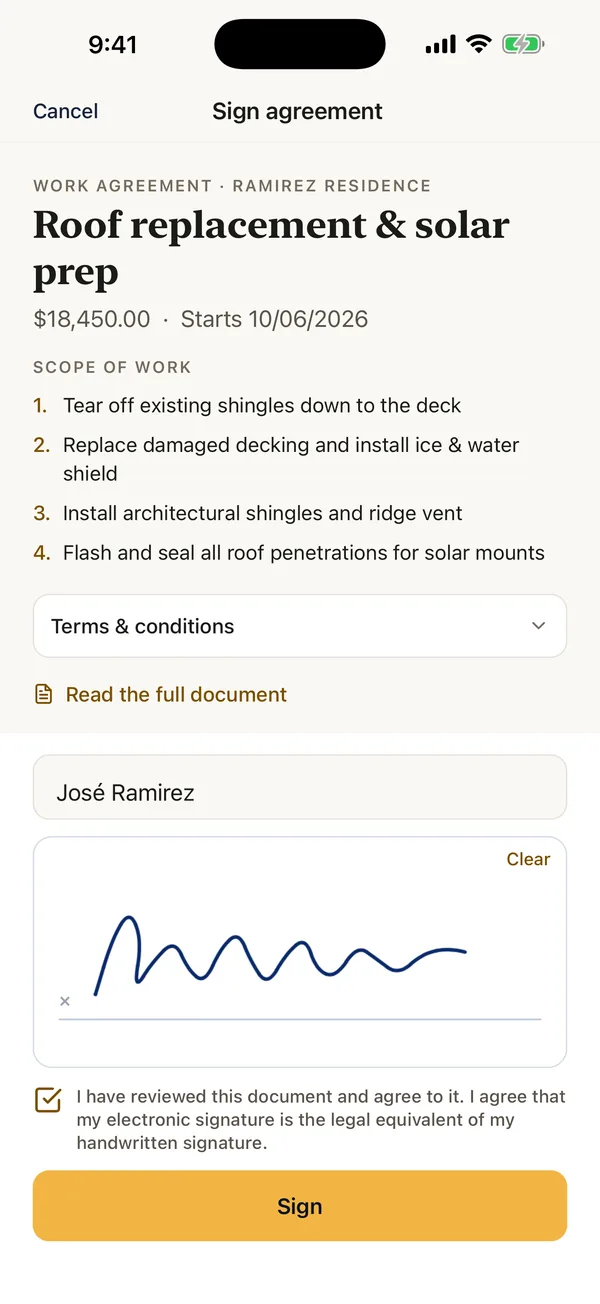
E-signed agreementsScope, start date and total, signed on your phone or from a link.
InvoicesLine items in, totals calculated, never typed.
PaymentsQR code, pay link or card entry, paid out to your own Stripe account.
Crews and rolesInvite crew with a code. Admins see every job; crews see theirs.
Comments and alertsComment on the photo itself. Get a push when someone replies or a client pays.
Web portal and CRMThe office runs every job from a browser. Reports post to your CRM through a webhook.

Also on every plan: map pins, tags and labels, report templates, camera settings for the whole crew, and 30 days to undo a delete.

Security & control

Your photos are your business.

Job photos can end up in a dispute or an insurance claim. FieldPix is built so they stay yours, stay private, and stay put.

Private by defaultPhotos live in private storage and are served through short-lived signed links, never public URLs.
Walled off per companyEvery request is checked against your company on the server, so no other account can reach your jobs.
No hostage dataCancel any time; your data stays recoverable for 90 days. Delete your account yourself, in the app.
FAQ

Straight answers.

What is FieldPix?

FieldPix is a job site photo app for contractors, on iPhone, iPad, Android and the web. Crews take photos stamped with the time, date and location, and talk through the job while AI writes the notes, the to-do list and the reports. It also handles e-signed agreements, invoices and payments. The price is flat per company, not per seat: $29.99 a month for one person, or $49.99 for a crew of up to 5.

How does the AI walkthrough work?

Open a project in the FieldPix app and tap Walkthrough. Talk through what you see as you walk the site, and take photos along the way — pause when you move to a new area. When you tap Done, FieldPix transcribes the recording and writes organized notes: a section for each area with the measurements, problems and decisions you mentioned, the photos from that part filed under it, a short summary and an action list of every follow-up. You review it, then share it, save it as a PDF, or turn it into a daily log, punch list or client update.

Does FieldPix work in Spanish?

Yes. Walkthroughs work in English or Spanish, and any AI document can be translated between the two in a tap.

Does FieldPix work with no signal?

Yes. Photos and video save on the phone with everything they need (the project, the time, the coordinates, who took them) and upload on their own when the phone gets a connection. A walkthrough recorded with no signal saves on the phone too; finish it from the project page when you're back in coverage and the notes are written then.

Can I use FieldPix right now?

Yes. Start a 14-day free trial on the web, then get the app for your crew: iPhone on the App Store or Android on Google Play. Questions? Email support@fieldpix.org.

Is it FieldPix or Field Pix?

FieldPix, one word. Some people write Field Pix or Field Pics; it's the same app. FieldPix is software for contractors (an app and a web portal). It isn't a gas analyzer, meter or any other measuring instrument. Search “FieldPix” on the App Store or Google Play, or come straight to fieldpix.org.

What trades is FieldPix for?

Anyone who has to prove what a site looked like before, during and after. It was built alongside a solar installer, so solar and roofing fit especially well — but nothing in it is solar-specific. HVAC, restoration, remodeling, general contracting and property maintenance all work the same way.

Do you charge per user or per photo?

Neither. Solo is $29.99/month for one person, Starter is $49.99/month for up to five people and Pro is $99.99/month for as many as you want. Pay yearly and get two months free: $299.90, $499.90 or $999.90 a year. Or pay by the week: $9.99, $14.99 or $29.99 a week. Photos, videos, projects and reports are unlimited, and every feature is on every plan. A plan covers one business and the people who work for it; if you run two companies, each gets its own plan.

How do payments work, and what do they cost?

Connect your own Stripe account from Billing & payouts in the portal or the app, and card and bank payments pay out to your bank. Stripe's fees and a 1% FieldPix fee come out of each card or bank payment. Recording cash and checks is free. In the iPhone app, you can also take cards with Tap to Pay on iPhone.

What does my client see?

Only what you share. Each project can have a private client link showing the job's stage, the reports you mark for the client, and comments you choose to send them — and they can add their own photos. You can preview the page and turn the link off at any time.

What do the AI features do with my photos?

Only what you ask for. When you choose photos or a walkthrough and pick a document type — daily log, progress recap, photo summary or checklist — FieldPix drafts it for you to review and edit. Nothing goes to a client without you. The app asks your permission the first time, and what it sends to write the document isn't used to train AI models. The privacy policy has the details.

Will FieldPix connect to my CRM?

Yes, through a webhook. Set a URL in the portal and FieldPix posts each project's report to it whenever one is generated, signed with a secret so your CRM can verify it came from us. If you need a specific system connected, email us.

How do I delete my account or my data?

In the app: Settings → Delete Account. It's immediate and permanent, and it removes the underlying files from storage too. Individual photos and projects can be deleted on their own, and wait 30 days in Recently Deleted first. Full details are on the account deletion page.

Flat roof on a job site 14-day free trial

Bring one crew. See if it holds up.

There's nothing to pay during the trial, and no card to enter.

  1. Create your company
  2. Invite your crew with a code
  3. Record your first walkthrough
Download on the App Store Get it on Google Play